
Travel Mode & 7 Languages
Supports 7 interface languages (EN, ZH-Hant, ZH-Hans, JA, KO, MS, ID). PennyDay Pro adds Travel Mode for tracking a trip’s foreign currency with a manual rate.
Your month is your ledger. Log everyday expenses in 3 seconds, read income, spending, and balance at a glance—offline-first with no sign-up and no bank linking.
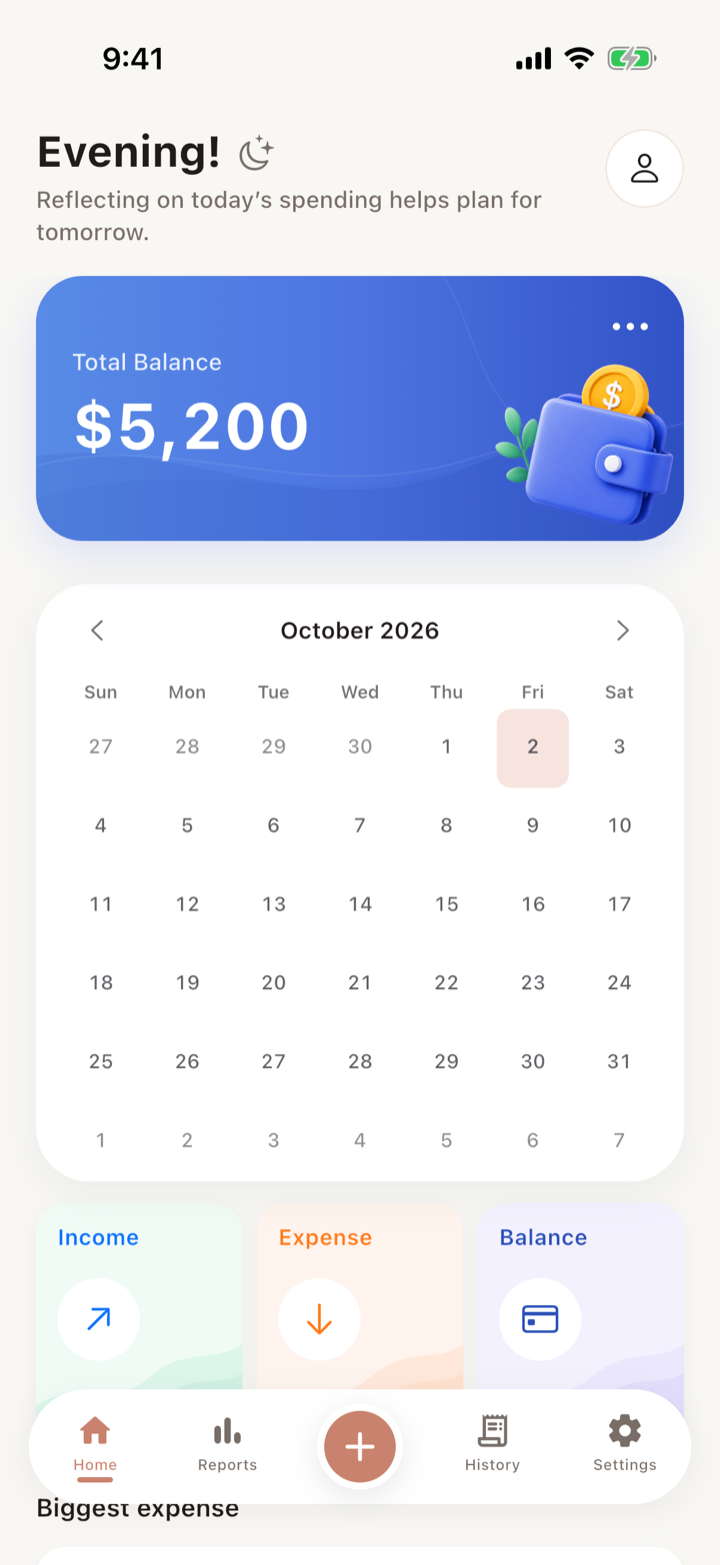
Daily budgeting shouldn’t feel like filing a spreadsheet. When your calendar is the ledger, every coffee, paycheck, and bill has a calm home—done in three seconds.
Skip nested menus. Open your calendar to read your entire month’s rhythm through clear colors and tabular totals.
A built-in math keypad and crisp category tiles let you log an expense one-handed before leaving the counter.
No account wall and no bank credentials. Records stay in local SQLite by default, with optional cloud backup when you choose.
Select a feature to inspect the real iOS interface and see how PennyDay structures your month.
Protected semantic colors—blue for income, orange for expenses, deep teal for balance—stay consistent across every screen.
Built for daily speed and readability, with the essentials right where you expect them.
Supports 7 interface languages (EN, ZH-Hant, ZH-Hans, JA, KO, MS, ID). PennyDay Pro adds Travel Mode for tracking a trip’s foreign currency with a manual rate.
Add tax, split dinner, or calculate totals right inside the entry sheet—no app switching required.
With PennyDay Pro, set rent, salary, and subscriptions once and let PennyDay schedule them automatically on your calendar.
Keep cash, cards, and bank accounts cleanly separated while viewing your unified monthly cash flow.
Export or import CSV spreadsheets anytime, or back up your .sqlite database to Files, iCloud, Google Drive, Dropbox, or PennyDay Cloud.
No mandatory accounts and no bank credentials required. Upgrade to PennyDay Pro to remove all ads.
Straight answers on privacy, pricing, and owning your financial records.
Still have questions? Email us directly →Calendar tracking, 3s quick entry, multi-account management, 1 category budget, and core monthly insights are free (supported by lightweight ads). Upgrade to PennyDay Pro to remove all ads and unlock unlimited category budgets, tag budgets, recurring entries, Travel Mode, rolling analytics, auto-backup, custom themes, and home customization.
Never. PennyDay is offline-first—start logging immediately after download, with your ledger stored in local SQLite on your device by default and no bank linking required.
Export or import CSV spreadsheets anytime, or create full .sqlite database backups from Settings. Save locally or share manually, and optionally back up to iCloud (iOS), Google Drive, Dropbox, or PennyDay Cloud.
Available on iOS (iPhone, iOS 17.0+) and Android (Android 9.0+), supporting 7 interface languages (English, Traditional Chinese, Simplified Chinese, Japanese, Korean, Malay, Indonesian). Amounts use your locale’s currency symbol (¥ for Japanese, $ otherwise); PennyDay Pro’s Travel Mode lets you track one foreign currency per trip with a manual exchange rate.
Choose your platform—scan the QR code or download free from the store.
Scan with your iPhone camera or download free on the App Store.
Download on App StoreScan with your Android camera or download free on Google Play.
Get it on Google Play